A photo wall for your corporate events
Seminar, team party, trade show, convention: your attendees send photos from their phones, and you control everything that shows on the venue’s screen.
Request access See how it works
Our hosted service is free, by invitation.
A simple activity for all your attendees
In a room of a hundred people who do not know each other, you need a first reason to talk. A photo to take together is one.
No app to install, no account to create, no email address to give: everyone uses their own phone, in a few seconds. Nothing to hand out, nothing to lend.
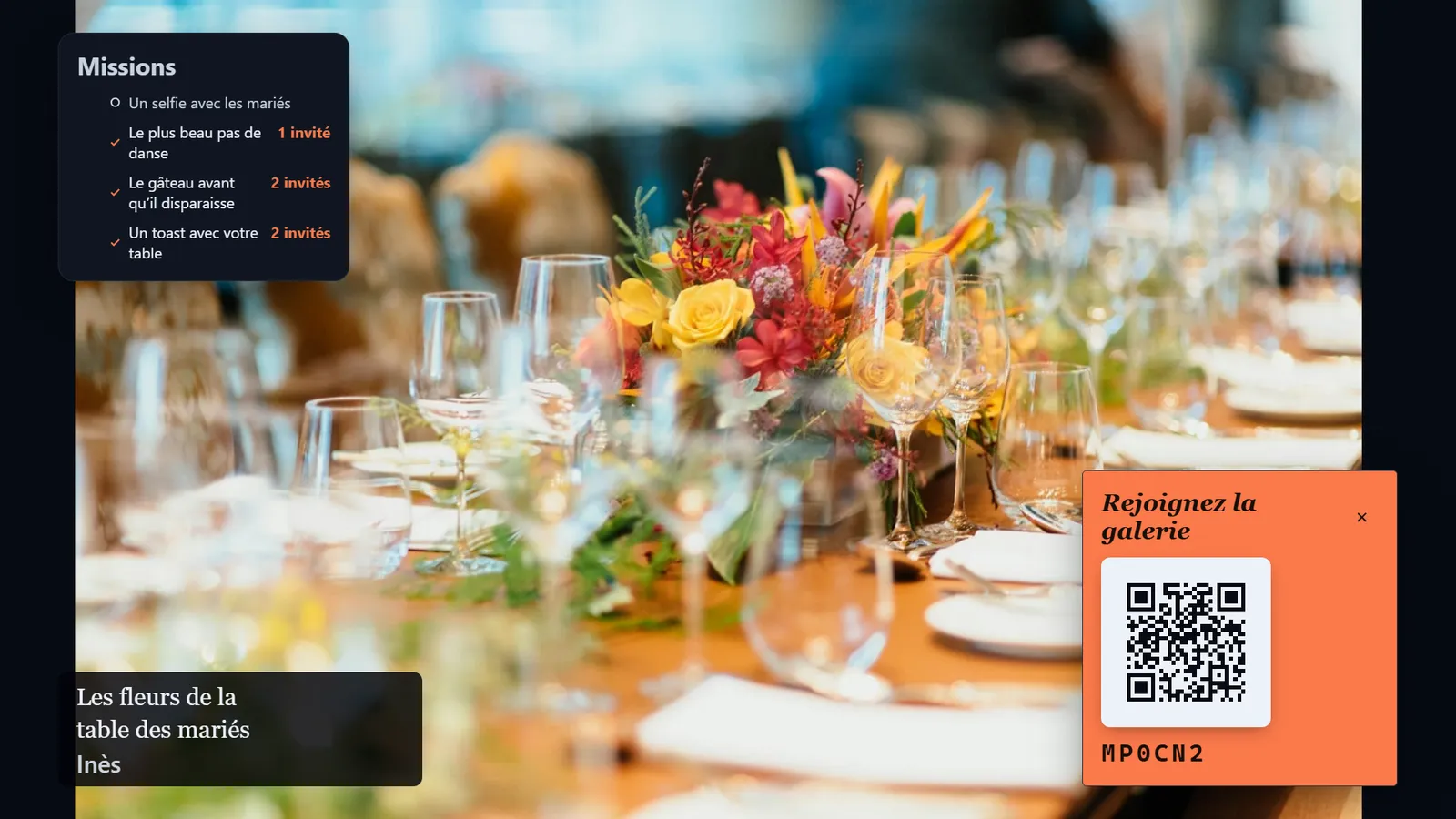
The wall adapts to the room: one photo at a time for a stage, a mosaic for a lobby, a film strip for an evening.
A seminar, hour by hour
Where the wall finds its place in an already busy day.
Before
A test before the day
You create the event under its name, write the missions and scan the QR code with your own phone. Tell the venue’s technical staff: you need a screen and a computer.
Welcome coffee
The QR code is everywhere
On the welcome screen, on the tables, on the welcome badge if you like. The first photos arrive before the opening.
Plenary
The wall fills the gaps
Breaks, stage changes, waiting for latecomers: the room’s screen no longer sits empty. During the presentations, the floor belongs to your speakers: the wall can wait.
Workshops
Every team plays
Missions are the same for everyone. For a team hunt, ask each group to write its name in the caption: you see who sent what.
Evening
A different tone
The wall goes from business to party: the mosaic, the collage, 15-second videos for the gala dinner.
Next day
A memory for the whole team
A shared gallery for those who were there, and for those who could not come.
You control what is displayed
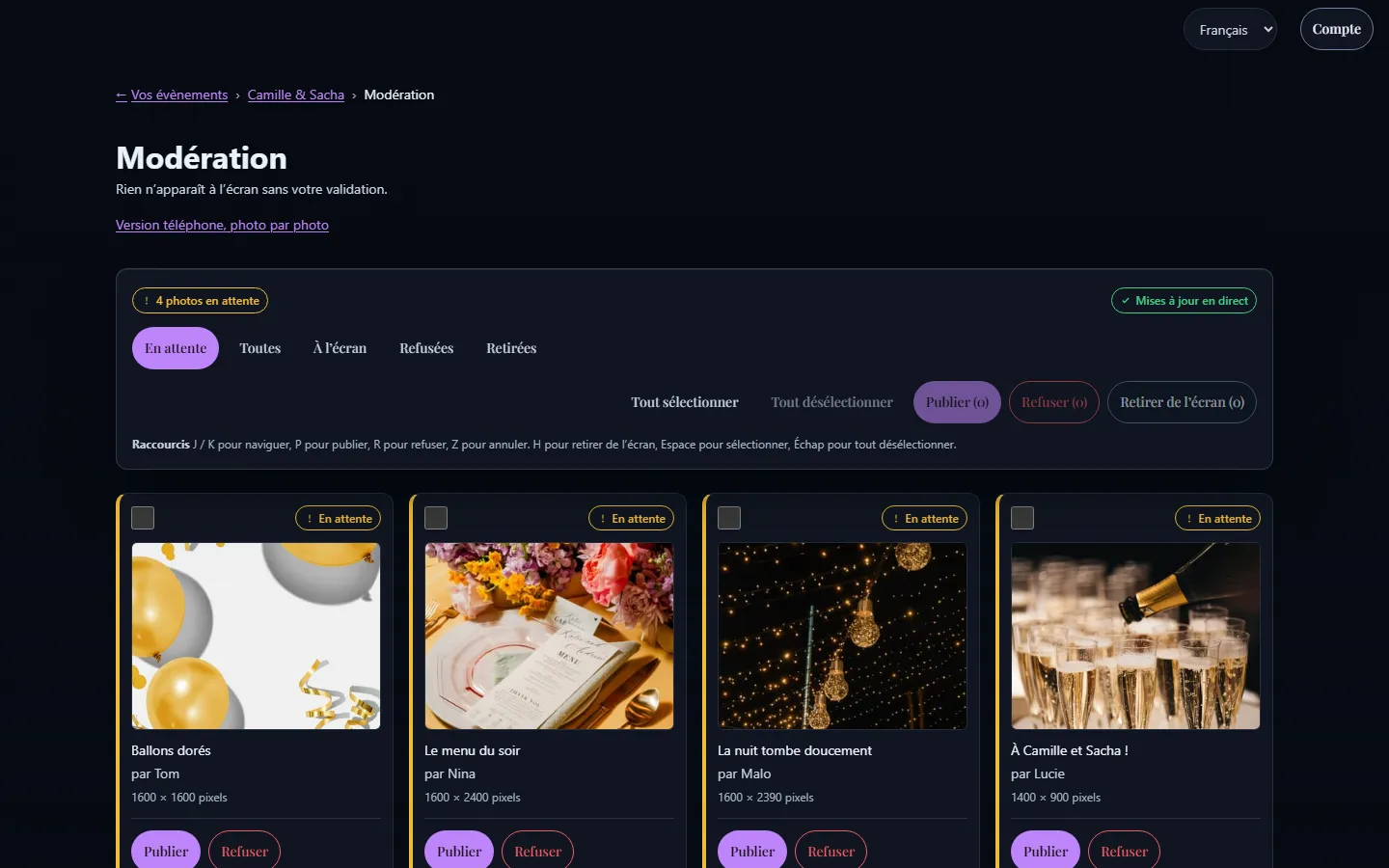
On a company screen, one badly chosen photo gets noticed. Nothing appears without your approval: every upload waits in a queue, and you publish it or decline it.
On a computer, the queue is handled with keyboard shortcuts and bulk actions. On a phone, one swipe is enough. A photo already on screen can be taken down at any time.
- Everything goes through a queue
- Bulk actions
- Take down at any time
Tips for a corporate event
What organisers do well to plan before the day.
Name a moderator
Someone from the organising team, dedicated to moderation during the event. An upload that waits too long is an attendee losing interest.
Take care of the brand image
Give the event its name, and choose the look: an accent colour, fonts and a frame, from several suggestions or made to measure.
The room’s screen
Conference room, lobby or stage: ask who plugs the screen in, test it before the audience arrives, and keep it separate from the presentation screen.
The venue’s network
A congress centre’s Wi-Fi is often saturated. Uploads wait and resume on their own, but the computer showing the wall deserves a reliable connection.
Tell the attendees
A word in the invitation or on the first screen: it is a photo activity, here is what happens to the photos, here is who approves. Everyone also reads on their phone what happens to their photos before the first one.
One language per attendee
French, English, German, Spanish and Italian: everyone picks theirs. The wall’s language is set for the event.
Photo missions to build connections
A list of challenges on each attendee’s phone: a pretext to approach someone you do not know.
Write missions that mix departments and stay professional: the wall is in front of the executives’ eyes.
Seminar missions
- A selfie with someone from another department
- The most original team photo
- An object that stands for your job
- The best smile of the coffee break
- A photo with a speaker
Your data, your rules
What your management or your IT team will want to know.
Hosted in France, by OVHcloud.
Location removed: GPS position and device data are erased from every photo as soon as it arrives.
No advertising, and your photos are never sold.
On your own servers, if you prefer: the software is free, and your IT team can host EventSlide itself.
A clear policy: read our privacy policy.
A memory to share with the whole team
After the event, create a shared gallery and send the link to your teams. The photos are in full resolution, with a complete ZIP download.
The link expires on the date you set and can be protected with a password: handy for an internal event.
- One link
- ZIP file
- Expiry date
- Optional password
Organisers’ questions
Is there a business plan, with invoices and support?
Not at the moment. Our hosted service is free and by invitation, with no invoice or service contract. If that is a blocker, the software is free and your IT team can install it on your own servers.
Do attendees have to create an account?
No. They scan the QR code and send their photos from their phone’s browser. The first name is optional.
Who sees the photos during the event?
Only what you have approved appears on the venue’s screen. The shared gallery exists only if you create it, and its link is yours to share.
Where are the photos stored?
In France, with OVHcloud, and the GPS position is removed from every photo on arrival. Full details are in the privacy policy.
Another occasion?
A team party does not have the same needs as a wedding.
A wedding
The photos the photographer did not take.
Photo wall for a weddingA birthday or a party
The best moments of the night, live.
Photo wall for a birthdayAn association
A shared memory for volunteers and members.
Photo wall for an association
Guides and useful pages
Ready for your next party?
Ask for access to our hosted service: free, by invitation.
Comfortable with servers?Host EventSlide yourself