A photo wall for your wedding
A QR code on every table, and your guests’ photos appear live on the venue’s screen. You approve every photo, and your guests install nothing.
Request access See how it works
Our hosted service is free, by invitation.
The photos your photographer did not take
Your photographer tells the story of your day. Your guests see what he or she cannot: the giggles at the cousins’ table, grandpa starting the dance, the children hiding under the tablecloth.
Everyone already has a phone in hand. EventSlide gives all those photos one place to land, and shows them to the room while the party is happening.
No more chasing thirty guests for weeks: everything is gathered in the same place.
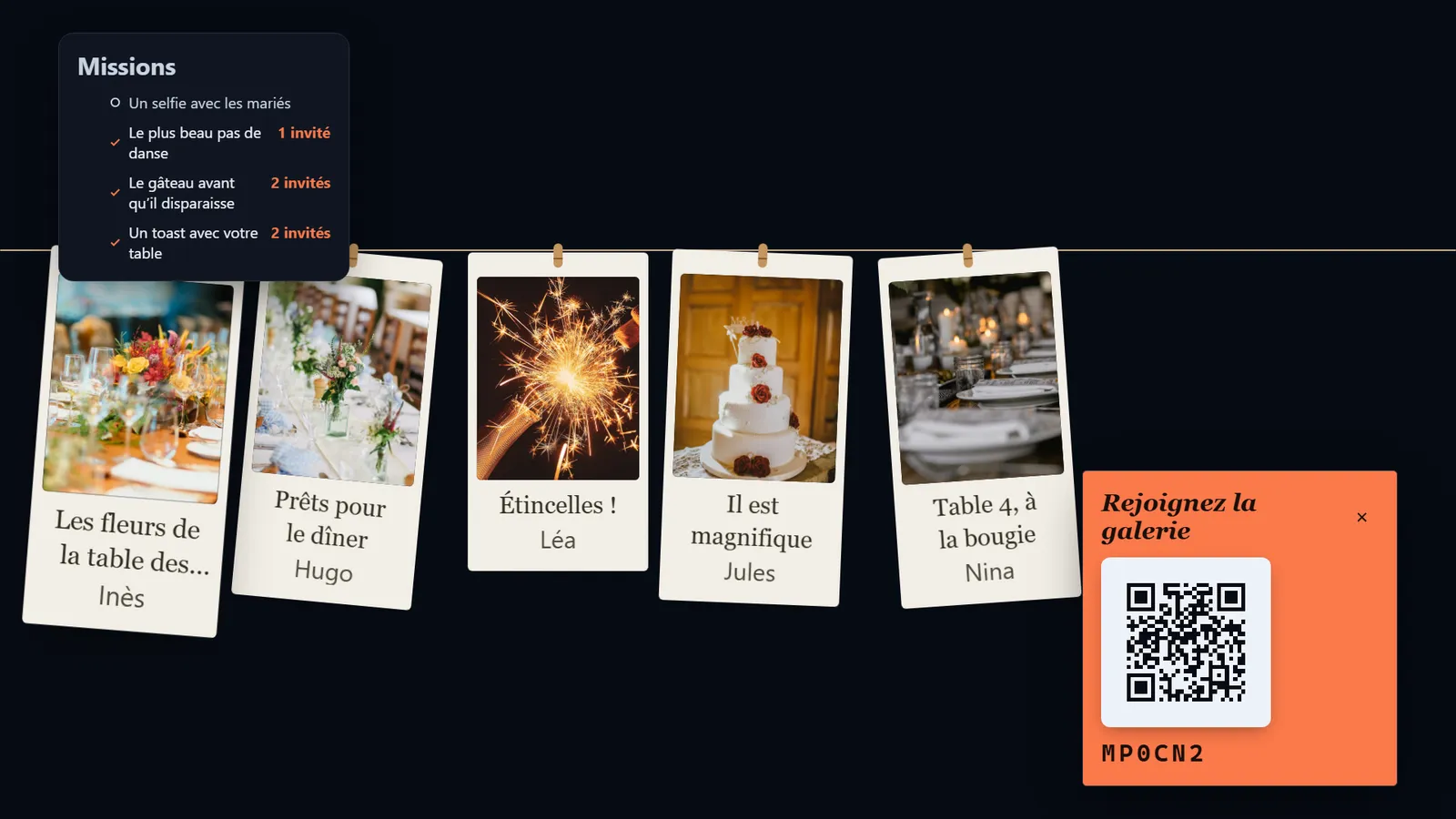
Your day, seen from the wall
From preparation to the morning after, what happens at each moment.
Before
You get the event ready
You create the event under your names, write two or three missions and print the QR code. Scan it yourself, with your own phone, to check that it leads to the right place.
Ceremony
Phones stay in pockets
Tell your guests on the invitation or through the master of ceremonies: photos are for the party, not for the vows. The wall does not need to see everything.
Drinks reception
The first photos arrive
Glasses, reunions, cousins you have not seen in ten years. When the screen starts to fill up, the guests who had not scanned yet join in on their own.
Dinner
Tables answer each other
Between the starter and the main course, everyone has a phone in hand. One table’s photos appear on the screen and the table across the room replies with its own.
Speeches
A calm wall while the room listens
One photo at a time is the calmest layout: it suits a room turned towards the microphone. Families and friends spot themselves on screen at the same time as in the room.
First dance
15-second videos
Phones go up. Short videos play without sound: the venue’s music stays the only soundtrack, and the waltz is not drowned out.
Late night
It runs on its own
The wall runs on its own: only moderation needs an eye now and then. Even if the venue’s connection drops, it keeps playing the photos it has already received.
Next day
One link for everybody
You create a shared gallery and send a single link. Everyone finds the photos of the party.
How to set it up on the day
Three things to sort out before the guests arrive, and two worries we saw coming.
A QR code on every table
Slip it into a small frame or onto the seating plan, at eye level. Add a simple sentence: “Scan, send your photos, watch the screen”.
The venue’s screen or projector
Ask the venue whether it has a screen or a projector, and who plugs it in. The wall is a web page: a computer connected to the screen is enough.
A best man or maid of honour to moderate
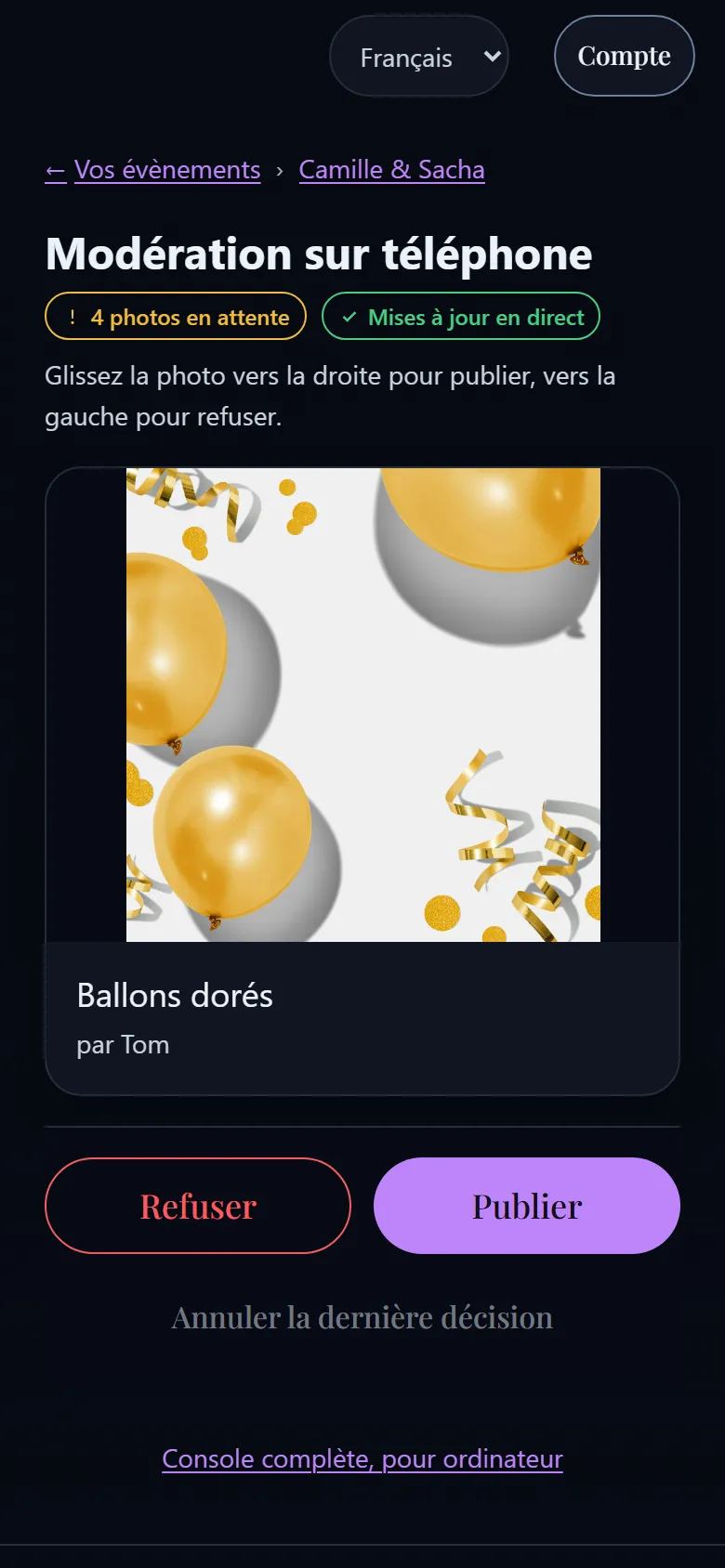
You will not want to look at your phone on your wedding day. Decide beforehand who takes care of it: moderating is one gesture, one photo at a time, drink in hand.
If the venue’s Wi-Fi is poor
A photo picked with no signal waits on the phone and goes out by itself, even if the guest has closed the page. Still ask for a reliable connection for the computer that shows the wall.
Older guests
No account, no app, no password: scan, pick a photo, send. The first name is optional. A six-character code also shows in a corner of the wall, for whoever arrives late.
Nothing on screen without your approval
A wedding means family, colleagues, children, and sometimes the brother-in-law who dined too well. Every photo waits for your approval before it appears: you publish it or you decline it, and what you decline never shows.
Before their first photo, every guest reads on their phone what will happen to it: who sees it, whether you check it before the screen, how long it is kept, how to have it removed.
A wall that suits you, missions for your guests
Seven ways to show the photos, and one visual style per evening, chosen from several or made to measure: the wall can follow your colours and your decoration.
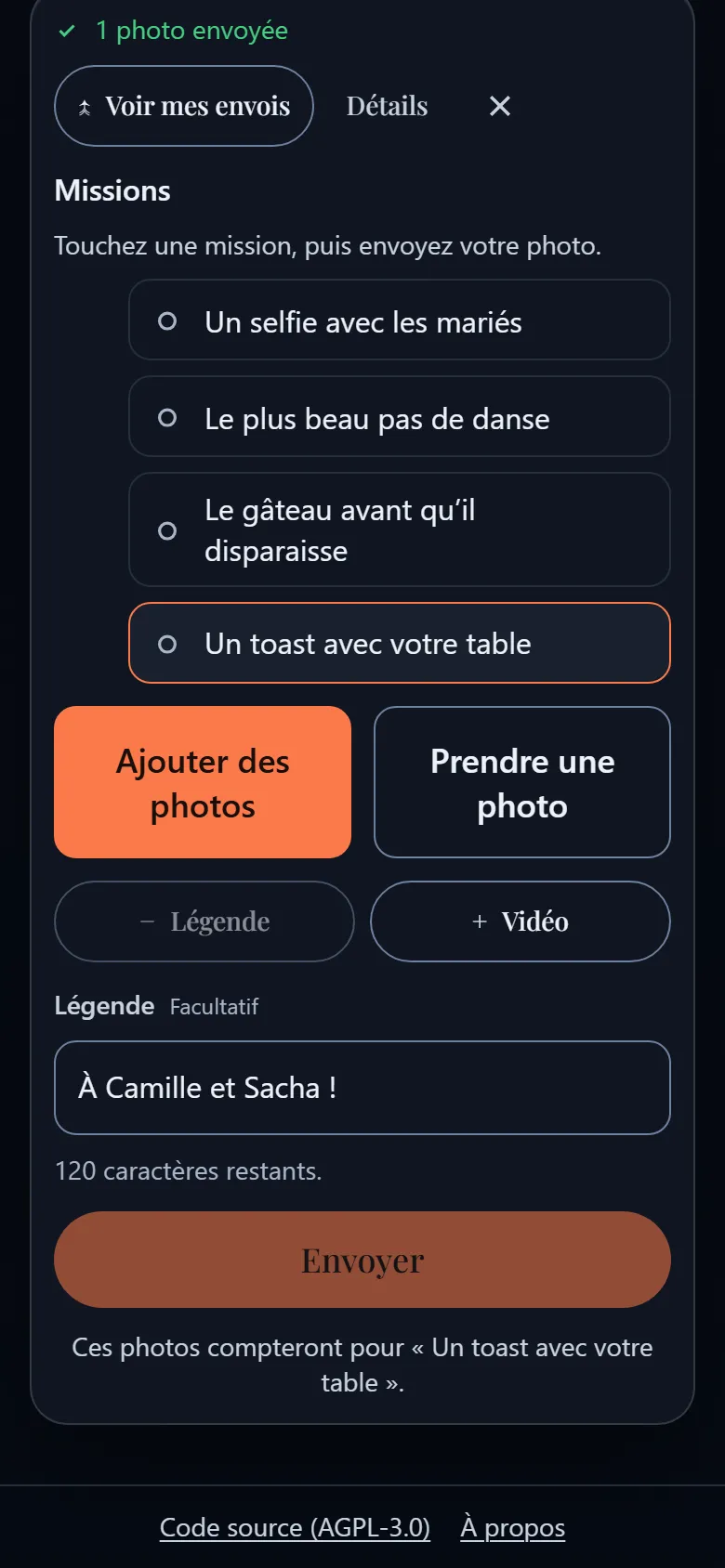
To tell guests what to photograph, write a few missions: a short list of challenges on their phone. Four or five is plenty, and they work best when they tell the story of the whole day rather than the couple alone.
- One at a time
- Mosaic
- Polaroid
- Film strip
- Collage
- Split screen
- Clothesline
Wedding missions
- A selfie with the couple
- The best selfie at your table
- The best dance move
- A toast with your table
- The cake before it disappears
What about a photo booth?
They are not the same thing, and the two can work well together.
A photo booth
Rented equipment set up in the room, which prints photos for guests to take home.
- An object in the room
- Paper prints
- To rent and to install
The EventSlide wall
A screen in the venue that shows the photos guests take with their own phones.
- On the venue’s screen
- No paper, no printing
- No equipment to rent
The booth for the decor and the print to take home, the wall for every photo taken in the room.
After the wedding: one link to get everything back
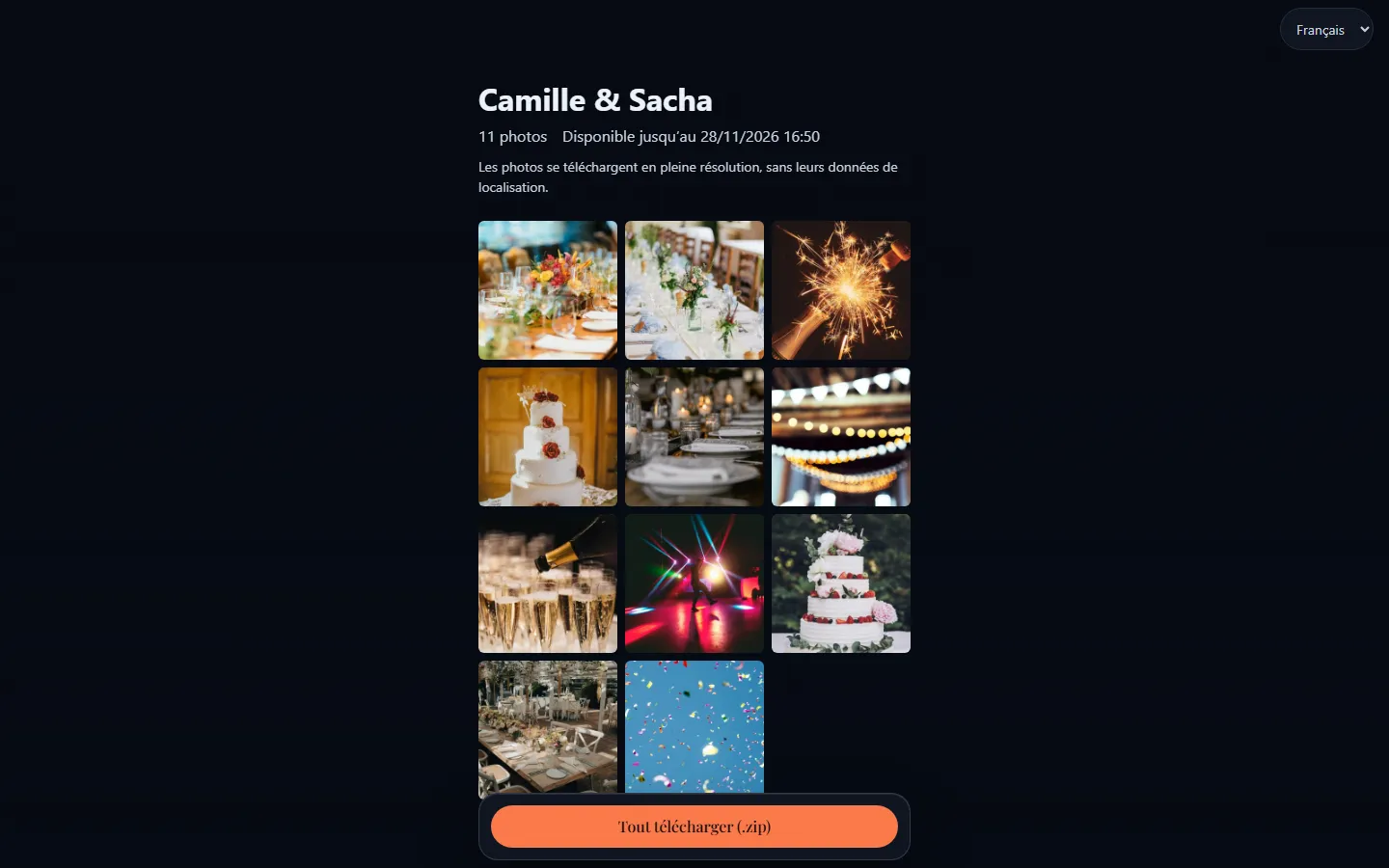
The next day, create a shared gallery from the event page and send the link to everyone. It holds the photos that went up on the wall, in full resolution and without their location data, to download one by one or as a single ZIP file.
The link expires on the date you choose (a month by default), it can ask for a password, and you can switch it off whenever you like.
- One link
- Full resolution
- Expiry date
- Optional password
Questions from couples
Do we need our guests’ permission to show their photos?
Before their first photo, every guest reads what will happen to it: who sees it, whether you check it, how long it is kept, how to have it removed. Also let your guests know the wall exists, for instance on the invitation. This is general advice, not legal advice.
Can children send photos?
Any guest with a phone who scans the code can send. Since nothing appears on screen without your approval, you stay in charge of what the room sees. If you prefer, put the QR code only on the adults’ tables.
How long are the photos kept?
You decide: you can schedule the album’s automatic deletion a number of days after the event closes. The shared gallery link expires after a month unless you choose another date, and you can switch it off at any time. Photos are hosted in France, by OVHcloud.
Our guests come from several countries: is that a problem?
No. The app comes in French, English, German, Spanish and Italian: the guest’s phone, the moderation and the wall. Everyone picks their own language; the wall’s language is set for the event. Captions and first names stay exactly as guests typed them.
A party that is not a wedding?
Other occasions have their own page, with their own advice.
A birthday or a party
The best moments of the night, live.
Photo wall for a birthdayA corporate event
A simple activity, and you stay in control of the screen.
Photo wall for a corporate eventAn association
A shared memory for volunteers and members.
Photo wall for an association
Ready for your next party?
Ask for access to our hosted service: free, by invitation.
Comfortable with servers?Host EventSlide yourself